
We have been hard at work building LearnPress plugins for Your Personal Recovery Journey (Phase 2). This involves transforming the facilitator‑led course into a fully self‑directed online experience. For this phase, we chose LearnPress as our LMS platform. While LearnPress comes with its own limitations and architectural complexity, it also offers meaningful advantages – especially for organizations that value owning their site, their data, and avoiding ongoing subscription fees. The flexibility of open‑source tools remains a major benefit.
For organizations considering LearnPress, it’s important to understand that adopting it isn’t just a plug‑and‑play LMS installation. In many cases, you’re also committing to ongoing development work to fill in functionality gaps. The upfront investment may be higher than using a hosted platform, but in exchange, you retain full control over how your system behaves and evolves.
LearnPress Architectural Complexity
LearnPress is a sophisticated LMS for WordPress, and its depth can be both a strength and a challenge. The plugin uses a multi‑layered class architecture – post models, question models, quiz models, user course data objects, and several abstract base classes. Implementing a new question type requires touching multiple layers: the base question class, the post model class (aligned with the LearnPress 4.x architecture), and the filter system that ties everything together. Some filters aren’t documented, and a few functions remain in the codebase even though they’re no longer active.
The system blends WordPress custom post types, metadata storage, and LearnPress‑specific data structures, all of which must work together cleanly. Even tasks that seem simple – like adding a new question type – require understanding the full lifecycle: admin rendering, validation, storage, retrieval, and front‑end display. This involves both PHP and React, along with careful integration into existing LearnPress classes.
LearnPress Quiz Answer Type Limitations
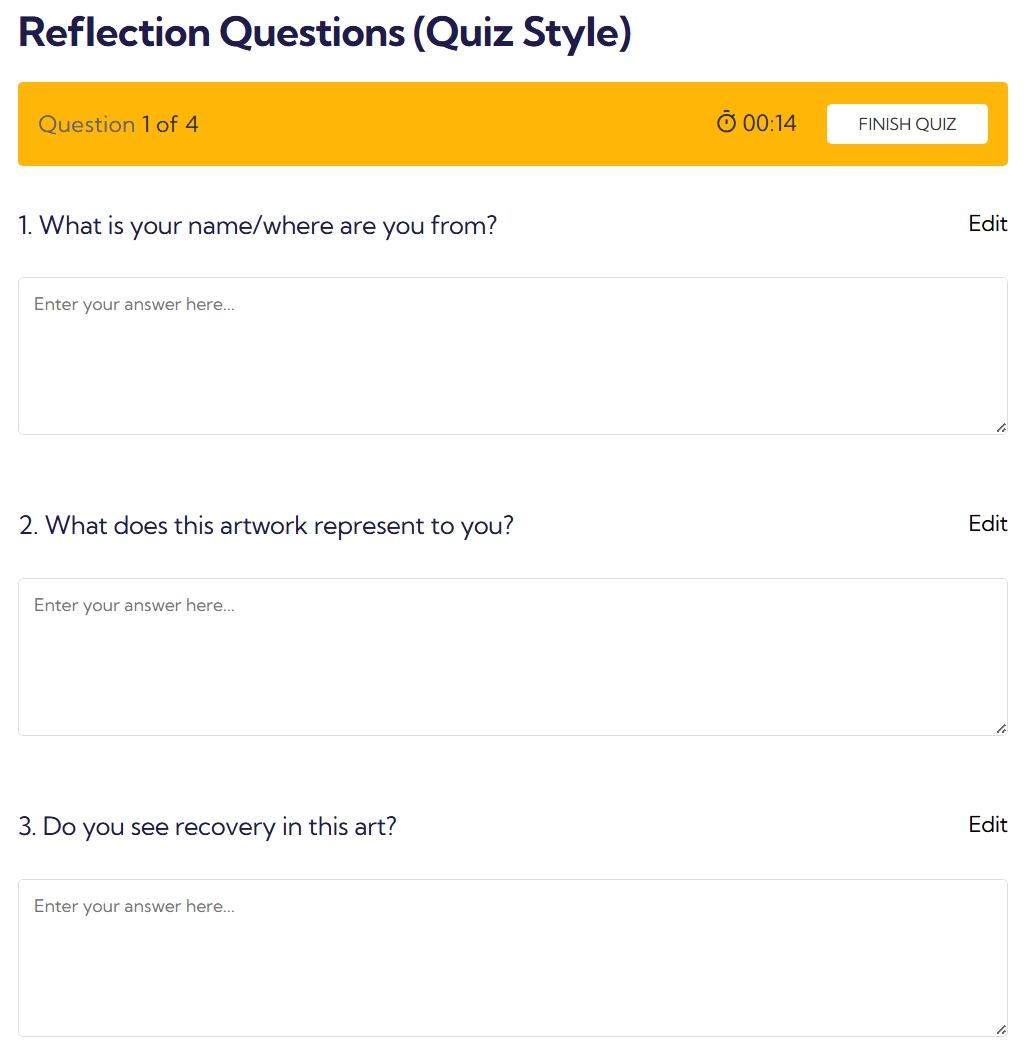
One of LearnPress’s most notable limitations is its narrow set of built‑in quiz answer types. Out of the box, it supports multiple choice, true/false, single choice, and fill‑in‑the‑blank. Missing entirely are open‑ended text responses, essays, or long‑form written answers – question types that are essential for reflective, analytical, or creative learning.
To support these needs, we built a custom plugin from the ground up. This required creating a new question class, implementing answer storage and retrieval, and integrating with LearnPress’s submission and validation workflows. It wasn’t just a matter of adding a text field; it required deep integration with LearnPress’s internal architecture.
While the Assignments add‑on exists, it introduces an entirely separate lesson type with a large textarea and timer, which didn’t align with our need for multiple open‑ended responses within a quiz context.
Developing this feature took several iterations, including extensive class tracing and debugging. AI tools weren’t particularly helpful here, as they tended to invent functions or filters that didn’t exist, so manual investigation ultimately led to the solution.
Understanding the Full Stack
Coming into LearnPress with decades of PHP experience but no prior exposure to this plugin, the learning curve was steep. Understanding how the classes extend one another, how functions cascade, and where data originates; all required detailed logging and step‑by‑step tracing.
Both required classes, extending QuestionPostModel and LP_Question, had to be developed in parallel. Determining the correct return types, required methods, and the depth of integration needed for even basic functionality took significant exploration. Documentation for quiz‑related internals is limited, so much of the work involved reading core plugin code directly.
On the front end, the back‑end JSON output feeds React components, which meant hooking into both actions and filters to register the new question type, then building a custom component to render the question and its answer state.
Course Progression Control Deficiencies
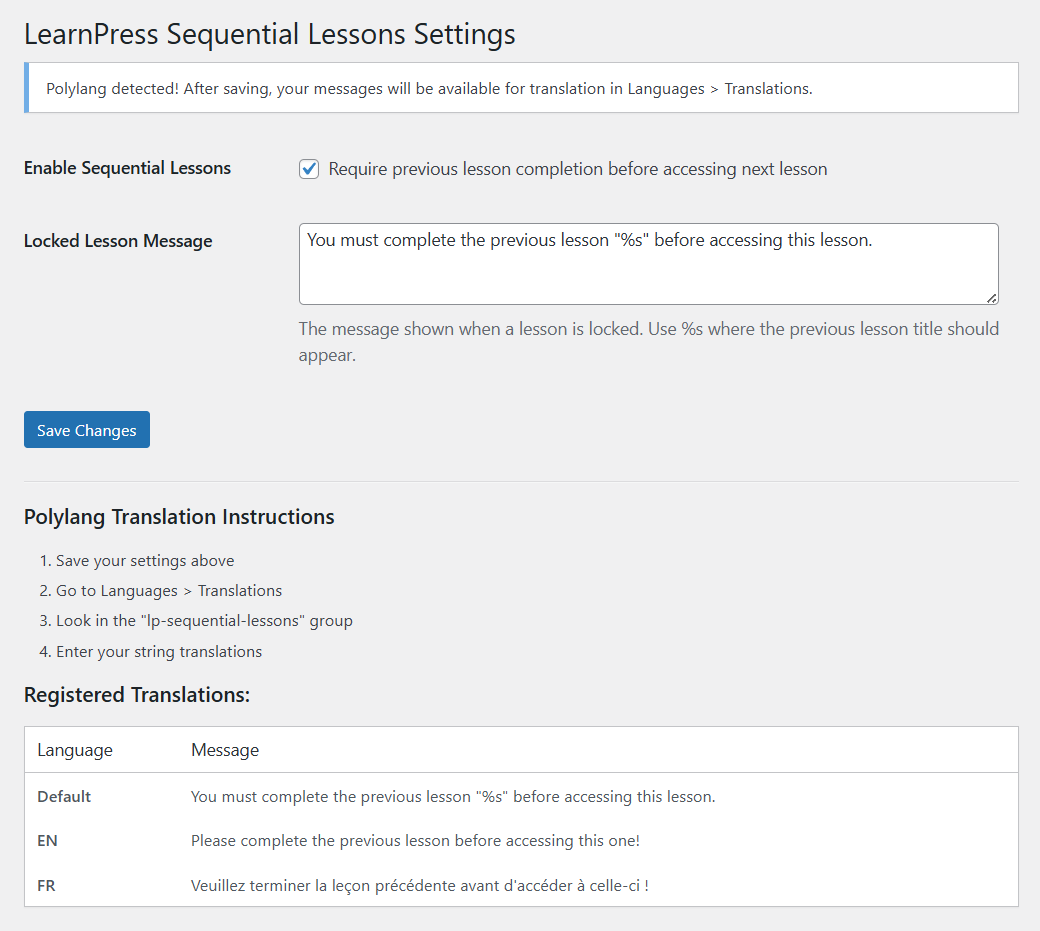
LearnPress’s built‑in sequential progression tools are limited. While it offers basic linear progression and the Content Drip add‑on includes some related features, we needed more precise control over lesson access based on completion of previous lessons. The native system doesn’t consistently prevent users from skipping ahead, which can be problematic for courses where foundational knowledge is essential.
To address this, we developed a custom plugin to enforce lesson sequencing. It checks lesson completion, validates access before loading content, and verifies user capabilities. This required integrating with LearnPress’s course data retrieval system and intercepting lesson access attempts to redirect users appropriately.
Printing and other Misc changes
We also needed a way for users to print their data while keeping personally identifiable information out of the database. This part was straightforward: a small JavaScript solution wrapped in a plugin and displayed on quiz pages. For the Profile page, where the user could review the course information, we had to remove any references to payment, and add an option to completely delete the user’s profile and data. This was important for the client; we don’t store any personally identifiable information, but it was still a privacy, security, and safety requirement of the build.
Development Burden and Maintenance Concerns
All of these customizations introduce ongoing maintenance responsibilities. Each LearnPress update must be tested thoroughly, as internal APIs and class structures can change. The shift to the LearnPress 4.x architecture, for example, broke compatibility with many existing extensions and required significant rewrites.
Managing multiple custom plugins, ensuring compatibility with LearnPress core, and navigating undocumented or evolving internal systems means that using LearnPress for real‑world educational needs often becomes an ongoing development effort. It requires PHP expertise, familiarity with WordPress plugin architecture, and a solid understanding of LearnPress’s internals.
LearnPress provides a strong foundation for WordPress‑based LMS solutions, but its complexity and gaps in essential features mean that organizations should be prepared for additional development work – or the purchase of official add‑ons. Building and maintaining a platform of this scale takes time and resources, and LearnPress reflects that reality.
The plugins developed for this project will be released publicly, soon!
